Discord Bot Commands You Can Build
Pre-built templates for common Discord bot features. Configure them with a visual interface, and they never spend AI credits.
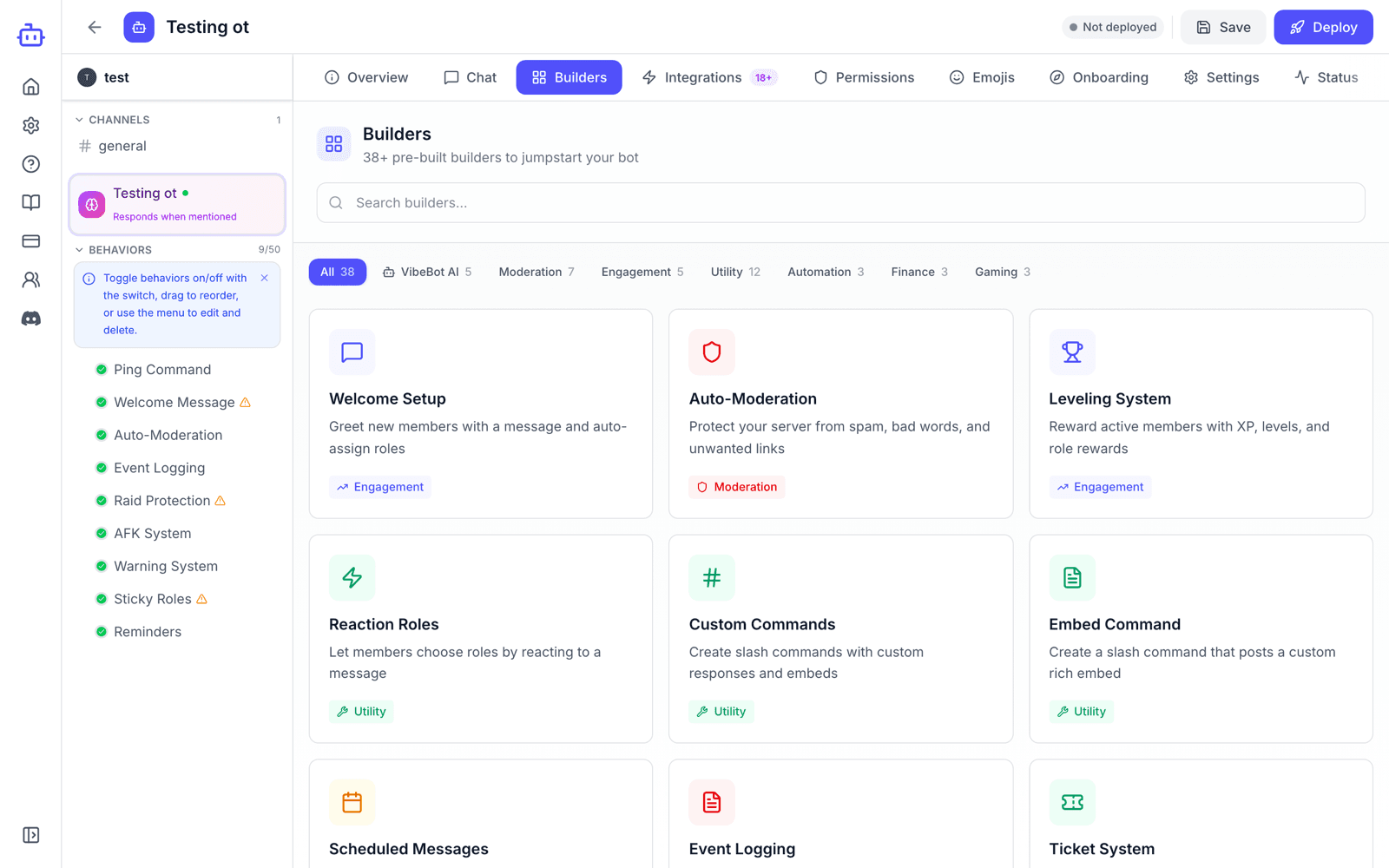
What are Templates?
Templates are pre-configured setups for common Discord bot features. Select a template, configure its settings with a visual interface, and add it to your bot instead of describing what you want to the AI.
How to Use Templates
Browse Templates
Go to your bot configuration page and click on the "Templates" tab to see all available templates.
Select a Template
Click on any template to see what it does and what settings it requires.
Configure Settings
Fill in the required settings like channels, roles, messages, etc. using dropdown menus and text fields.
Add to Bot
Click "Add Template" to add the behavior to your bot.
Available Templates (39)
All 39 templates, organized by category:
Welcome & Engagement
Moderation & Safety
Utility
Automation
Finance & Trading
Gaming & Matchmaking
Popular Template Examples
Welcome Message Template
Automatically sends a customized welcome message when someone joins your server.
Configuration:
- • Channel: Where to send the welcome message
- • Message: Custom welcome text (supports variables like {username})
- • Enable/Disable: Toggle on/off
Reaction Roles Template
Let users self-assign roles by reacting to a message with emojis.
Configuration:
- • Channel: Where the reaction role message is
- • Emoji-Role pairs: Map emojis to roles
- • Remove on unreact: Auto-remove role when reaction removed
Ticket System Template
Create a support ticket system where users can open private channels.
Configuration:
- • Category: Where ticket channels are created
- • Support role: Who can see and manage tickets
- • Opening message: Message sent when ticket opens
- • Log channel: Where closed tickets are logged
Moderation Commands Template
Add kick, ban, mute, and warn commands with permission checks.
Configuration:
- • Required role: Who can use moderation commands
- • Log channel: Where mod actions are logged
- • Mute role: Role to apply for mutes
- • DM user: Whether to DM the user being moderated
When to Use Templates vs the Bot Builder
Use Templates When:
- •You want a common, standard feature
- •You want to save AI credits
- •You need a tested, standard feature
- •You're building a standard bot
Use the Bot Builder When:
- •You need something very specific
- •The behavior is unique to your server
- •Templates don't have what you need
- •You want natural language input
Use Templates and the Bot Builder Together